
Google Sheet Querying
Query Google Sheet data using SQL in DuckDB.
Note
Prerequisite: Before querying, complete the Google Sheets integration.
Querying Google Sheets
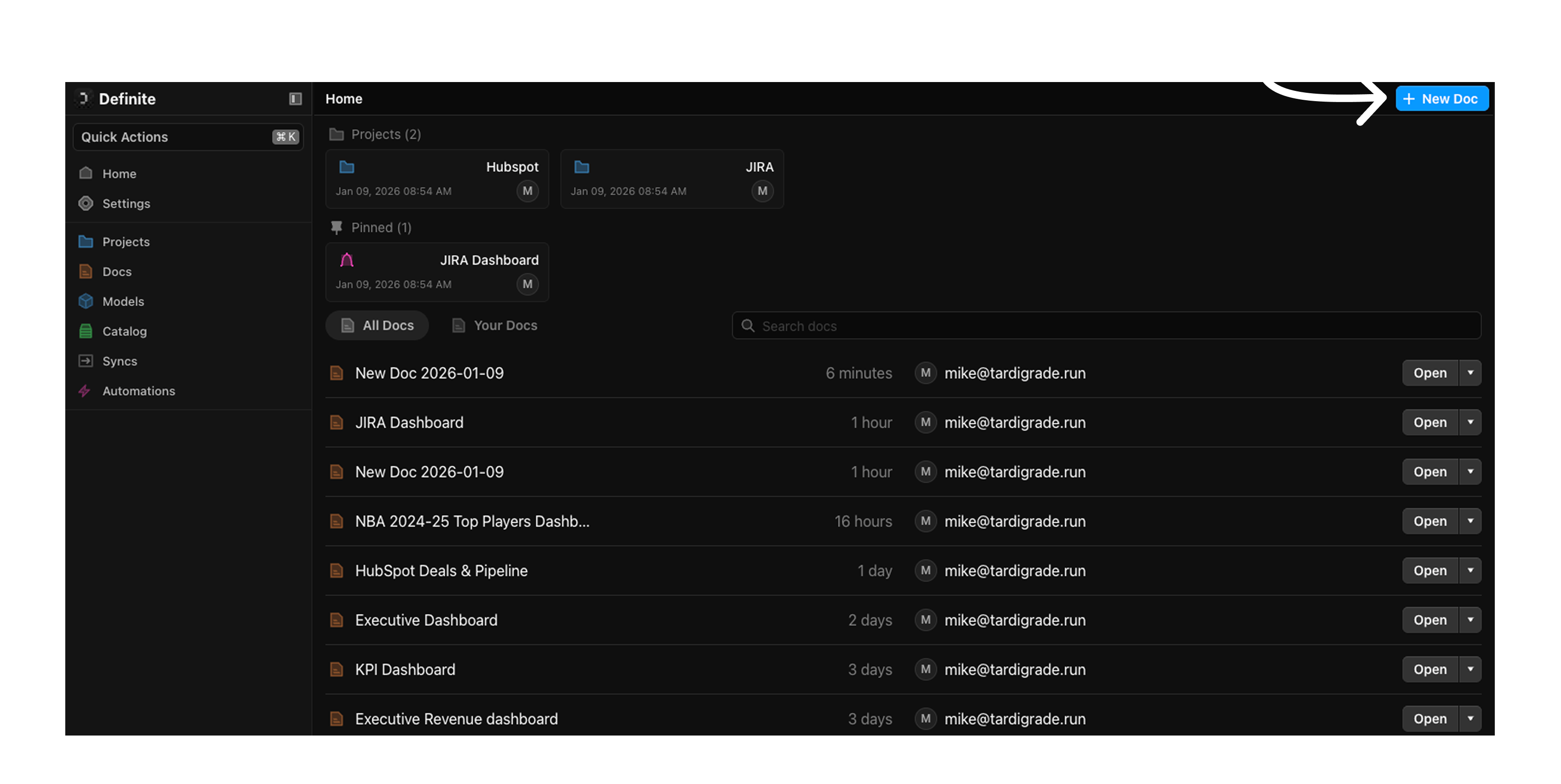
On the home page, click + New Doc in the upper right corner of the screen.
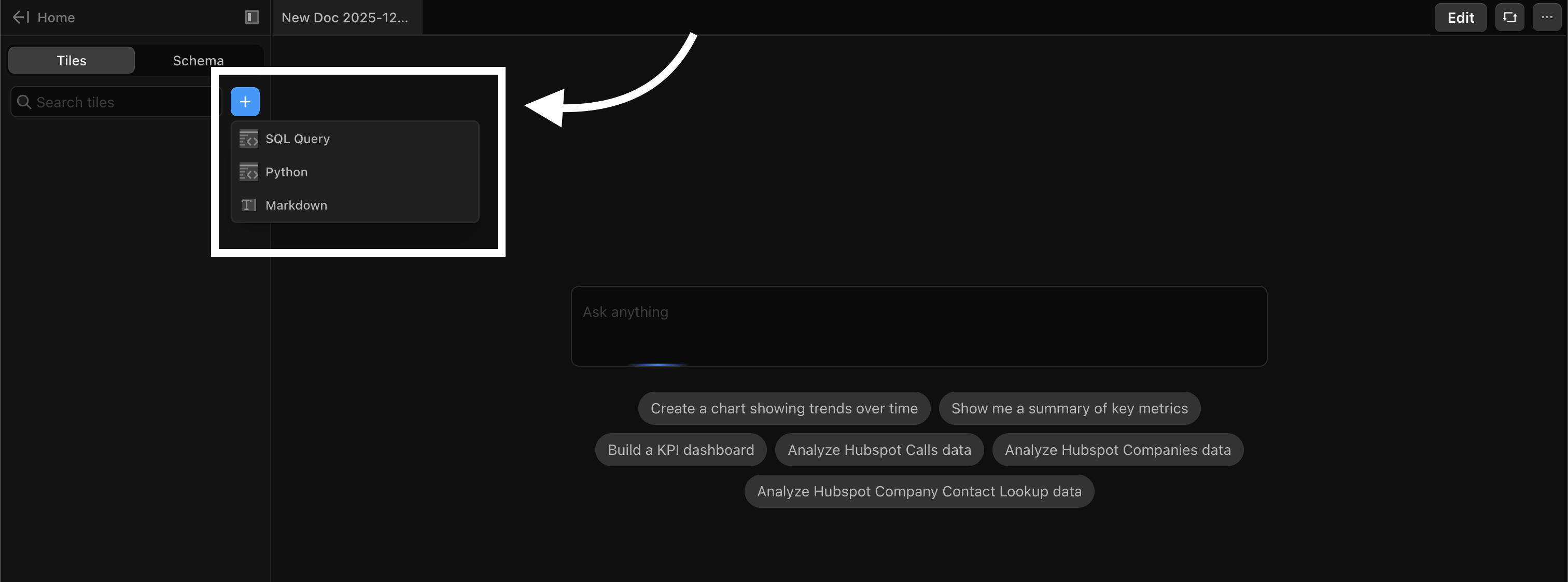
Click the + button in the Tiles panel on the left sidebar and choose SQL.
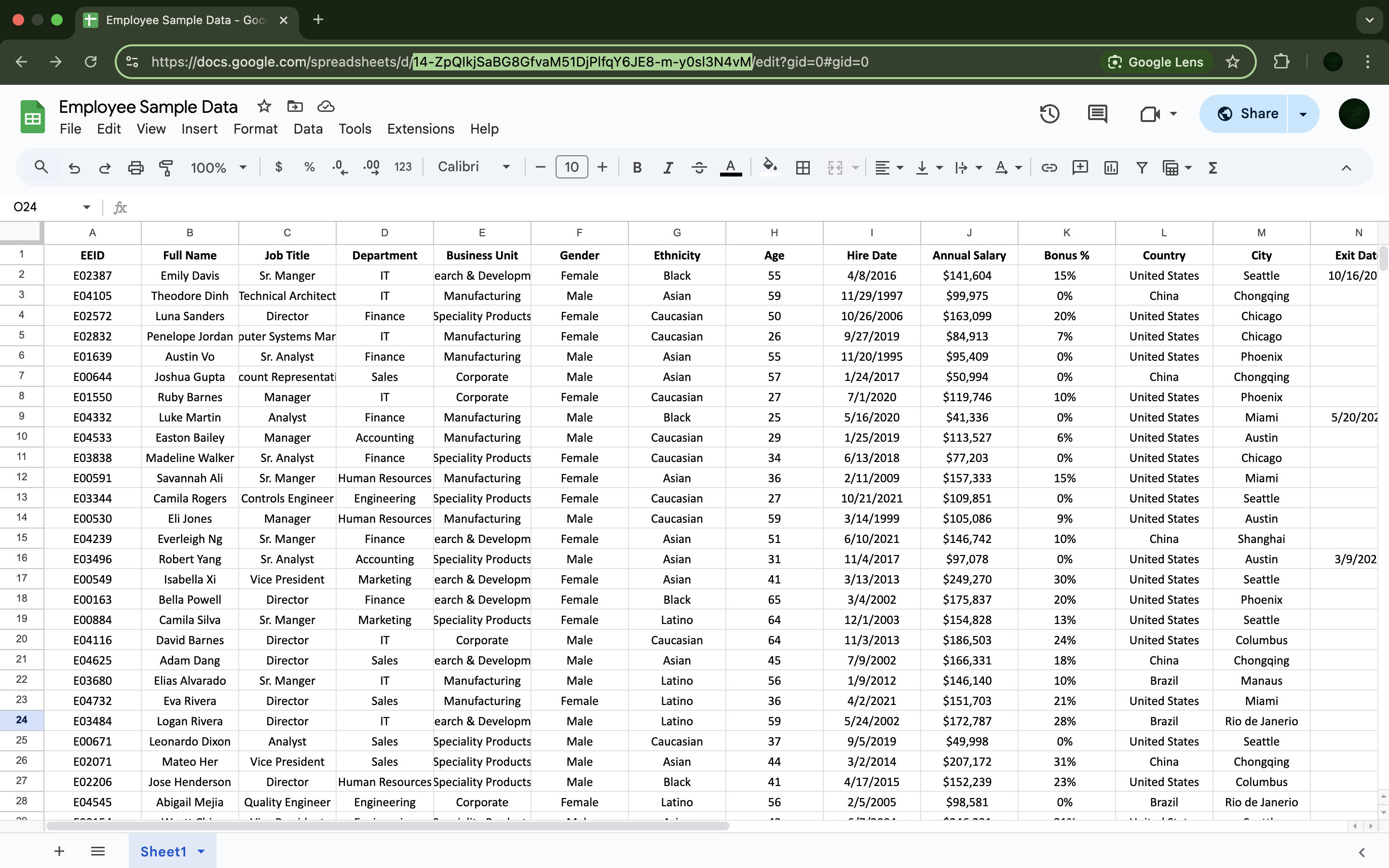
Copy the Google Sheet ID from the sheet's URL. Ensure the Google Sheet access is set to Public (Anyone with the link).
Enter the code below and click Run.
select
*
from
read_gsheet('<insert GSheet ID here>')
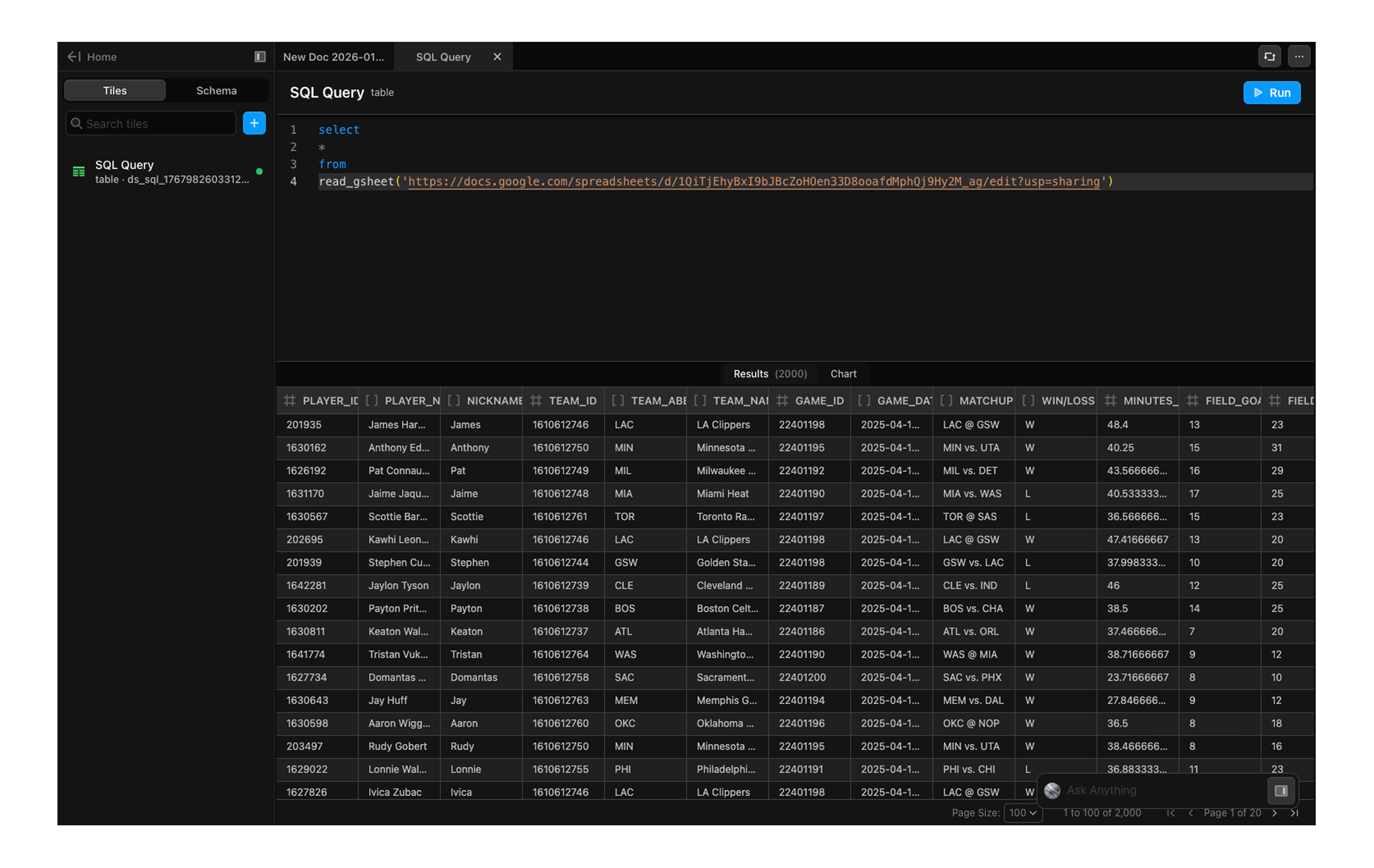
You're ready to query your data using SQL.
Tip
For more options on how to read or write Google Sheets with SQL, refer to the DuckDB Google Sheets documentation.