Snowflake
Create users and roles
Create a user and role for Definite. If you have a pre-existing user and role you would like to use, skip to step 2.
Copy the following script to a new Snowflake worksheet and edit as needed. Remember to replace <<YOUR_PASSWORD>>, <<YOUR_WAREHOUSE>>, and <<YOUR_DB>>.
use role accountadmin;

-- create variables for password / warehouse (needs to be uppercase for objects)
set user_password = '<<YOUR_PASSWORD>>';
set warehouse_name = '<<YOUR_WAREHOUSE>>'; --MUST BE CAPITALIZED


-- create a role for Definite
create role if not exists definite_role;


-- create a user for Definite and grant the Definite role
create user if not exists definite_user
    password = $user_password
    default_role = definite_role;
grant role definite_role to user definite_user;


-- Grant an existing warehouse to Definite role.
-- You can skip this if you want to create a new warehouse for Definite
grant usage on warehouse identifier($warehouse_name) to role definite_role;
grant monitor on warehouse identifier($warehouse_name) to role definite_role;


-- OPTIONAL: Only do this step if you want to create a new
-- warehouse for the Definite role to use
create warehouse if not exists definite_warehouse
   warehouse_size = xsmall
   warehouse_type = standard
   auto_suspend = 60
   auto_resume = true
   initially_suspended = true;

grant usage on warehouse definite_warehouse to role definite_role;
grant monitor on warehouse definite_warehouse to role definite_role;


-- IMPORTANT!!!: Repeat the lines below for ALL databases
-- you want Definite to have access to
set database_name = '<<YOUR_DB>>'; --MUST BE CAPITALIZED
grant usage on database identifier($database_name) to role definite_role;
grant usage on all schemas in database identifier($database_name) to role definite_role;
grant usage on future schemas in database identifier($database_name) to role definite_role;
grant select on all tables in database identifier($database_name) to role definite_role;
grant select on future tables in database identifier($database_name) to role definite_role;
grant select on all views in database identifier($database_name) to role definite_role;
grant select on future views in database identifier($database_name) to role definite_role;
Gather Snowflake credentials
To connect Definite to Snowflake, you’ll need:
- Account Name (including Region)
-
Retrieve this from the URL of the Snowflake web app (Snowsight). In the URL, for example:
https://app.snowflake.com/us-east-1.aws/accountName/worksheetsyour account name would be:
'accountName.us-east-1.aws'
-
- Username (
definite_userfrom step 1 or your pre-existing user) - Password (password from step 1 or your user's password)
- Warehouse (
<<YOUR_WAREHOUSE>>inputted in step 1) - Database (
<<YOUR_DB>>inputted in step 1) - Role (
definite_roleor your pre-existing role)
Input your credentials in the Definite UI
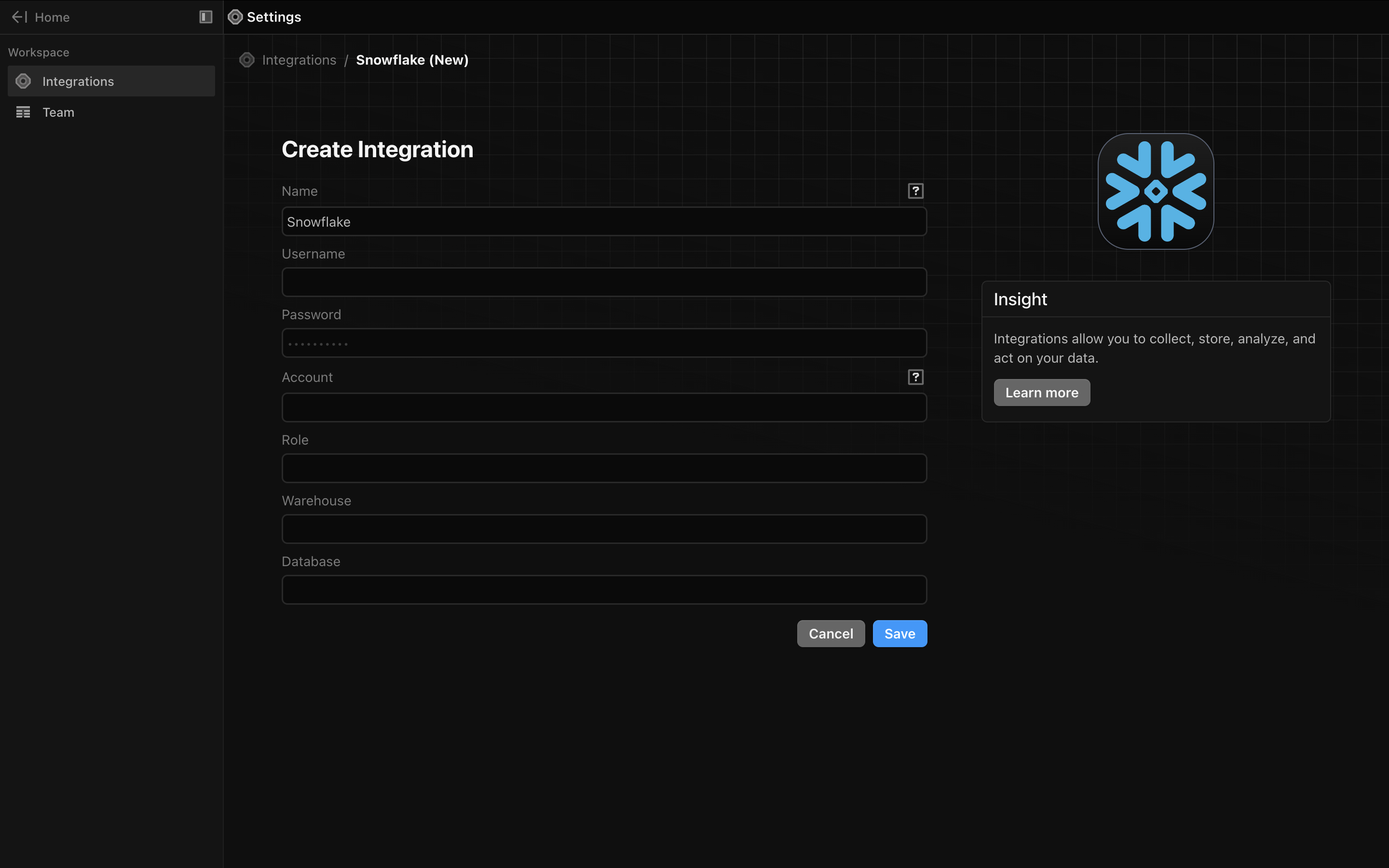
From the Definite homescreen Settings Integrations Snowflake, from there you should see the following screen in which you can input your Snowflake credentials: