


Getting Started with Definite in Under 30 Minutes
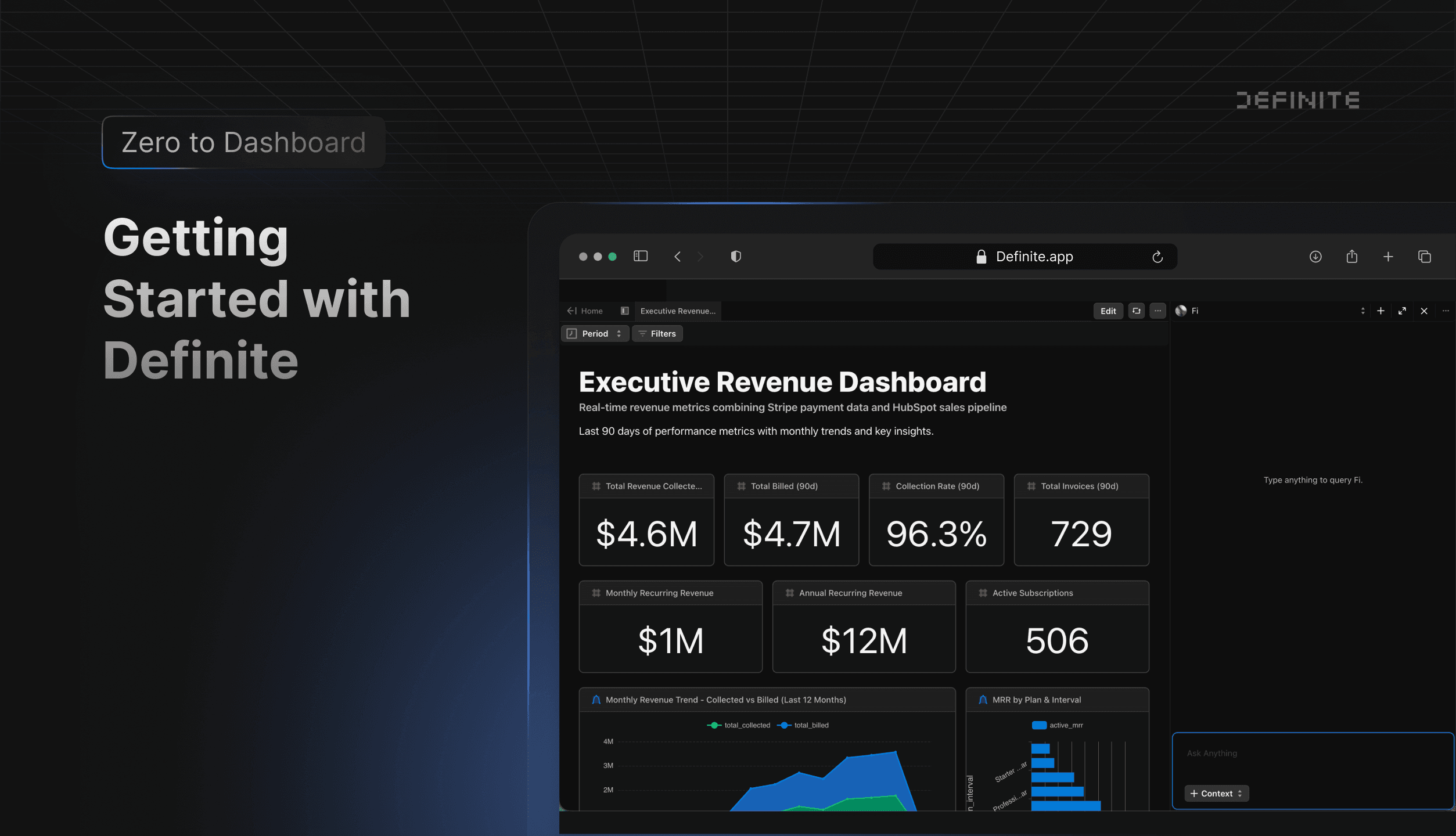
Setting up a startup data stack used to mean buying Snowflake, Fivetran, dbt, and Tableau separately, then spending months stitching them together. Teams that try to stand up that full bundle often stall before the first cross-source dashboard ships.
Definite is different. It's a single platform that gives you a lakehouse, ETL pipelines, semantic models, and AI-powered analytics out of the box.
This guide walks you through getting started, step by step. You can follow along with the video below or read through each section.
What is Definite?
Definite is an AI-powered data platform and a single place to store and analyze all of your data.
Instead of buying a data warehouse like Snowflake, an ETL tool like Fivetran, and a BI product like Tableau, Definite gives you all of it in one platform. We spin up the infrastructure for you, and Fi (our AI agent) helps you analyze everything without writing SQL.
Definite is built for startups and small teams who need analytics fast, without hiring a data engineer.
Below, we'll walk you through how to get set up.
The short version: You do two things: connect your data and ask Fi questions. Fi handles everything else, from creating your data lake to building dashboards.
Step 1: Connect Your Data Sources
The first thing you'll do in Definite is connect your data sources.
Definite has over 500 pre-built connectors covering the tools you already use:
- Payment platforms: Stripe, QuickBooks
- CRMs: HubSpot, Salesforce, Attio
- Marketing: Facebook Ads, Google Analytics, Klaviyo
- Databases (If applicable): Postgres, MySQL, Snowflake, BigQuery
Setting up a connection is simple:
- Navigate to the Connectors page
- Select your data source
- Add your credentials (API keys or OAuth, etc.)
- Definite handles the rest!
We provide clear documentation for each connector to get you up and running quickly.
Step 2: Definite Creates Your Data Lake and Models Your Data Automatically
No configuration required. Your private data lake is ready to use immediately.
Once your data is connected, Definite automatically:
-
Pulls your data into a managed data lake. Your data from Stripe, HubSpot, and other sources is organized and stored for you.
-
Creates semantic models. These models define key metrics from your data, things like revenue, customer counts, and conversion rates. This means you can query consistent metrics without rewriting SQL every time.
To start analyzing, create a new doc and you'll see all your connected data ready to go.
Step 3: Ask Fi to Build Your Analysis
You don't need to know SQL to analyze your data. Instead, you can use Fi, our AI agent.
Here's how it works:
- Open a new doc
- Click "Ask Fi"
- Type a question in plain English
For example: "How much do we have in sales by month?"
Fi will analyze your schema, figure out which tables and columns to use, construct the query, and return an analysis. No SQL required.
From there, Fi will ask if you want to create dashboards and charts. Say yes, and Fi builds an executive dashboard that includes total revenue, total charges, average charges, trends over time, and more.
Fi uses its best judgment to determine which data sources to use. In the video example, Fi pulled from Stripe for financial metrics and from HubSpot for deal and customer data, then combined them into one cohesive dashboard.
Step 4: Customize Your Analysis with Fi
Once you have a dashboard, you can keep refining it with Fi. Just ask for what you need.
A few examples:
- "Change the grouping to quarterly instead of monthly."
- "Add a chart that shows open deals by deal stage."
- "Add a date range filter for this entire dashboard."
Fi will update the underlying queries, add new tiles, or adjust filters across your dashboard. The options are endless, and Fi has all the context it needs to help you expand your analysis however you'd like.
What You Get with Definite
To recap, here's what Definite provides:
| Component | What It Does |
|---|---|
| Data lake | Stores all your connected data automatically |
| Pipelines | Pulls data from 500+ sources on a schedule |
| Semantic models | Defines consistent metrics across your data |
| Fi (AI agent) | Answers questions in plain English, builds dashboards |
| Docs | Workspace for analysis, dashboards, and collaboration |
Everything you do in Definite is closely tied to the AI agent. Whether you're exploring new data, building dashboards, or refining analysis, Fi helps you move faster and get answers immediately.
Who is Definite for?
- Startups that need analytics without a data team
- Founders who want dashboards without learning SQL
- Small teams replacing Snowflake + Fivetran + Tableau with one platform
Get Started
Ready to try Definite?
- Start free: definite.app/signup
- Read the docs: docs.definite.app
- Questions? Email hello@definite.app