


Databricks vs Snowflake: Which Data Platform Should You Actually Use?
If you're evaluating data platforms, you've probably seen Databricks and Snowflake come up over and over again. They're two of the biggest names in data, but here's the thing: they're a lot more similar than they used to be.
Summarize and analyze this article with:
 |  |  |  |  |
|---|
Table of Contents
- Quick Comparison
- How Snowflake and Databricks Have Converged
- Their Origins Still Matter
- Where They Still Differ
- The Most Overlooked Factor: Your Team
- Neither Is a Complete Solution
- A Simpler Alternative for Startups
- Head-to-Head-to-Head Comparison
- FAQ
- Who Is This For?
- Get Started
Quick Comparison
| Factor | Snowflake | Databricks | Definite |
|---|---|---|---|
| Architecture | Cloud Data Warehouse | Data Lakehouse | All-in-One Platform |
| Best For | SQL analytics, BI | ML, streaming, data engineering | Startups needing analytics now |
| Setup Time | Weeks to months | Weeks to months | Under 30 minutes |
| Monthly Cost | $5,000 - $20,000+ | $5,000 - $25,000+ | Free - $250 |
| Team Required | Data engineers | Data engineers + data scientists | No specialists |
| Learning Curve | Moderate (SQL) | Steep (Spark) | Easy (AI + SQL) |
How Snowflake and Databricks Have Converged
These platforms are no longer as different as they once were.
Snowflake started as a cloud data warehouse optimized for SQL and BI. Databricks started as a Spark-based platform for data engineering and machine learning. But both companies have been aggressively expanding into each other's territory.
Snowflake now markets itself as an "AI Data Cloud" with ML capabilities. Databricks has added SQL warehousing and BI features. The lines have blurred significantly.
The numbers tell the story: As of 2025, over 52% of Snowflake's customers also use Databricks (up from 40% in 2024). Many enterprises run both. The "versus" framing is increasingly misleading because these platforms are converging.
Both now support:
- Open table formats like Apache Iceberg
- AI and ML features
- Multi-cloud deployment (AWS, Azure, GCP)
- SQL interfaces
The technical gap is narrowing every year.
Their Origins Still Matter
Despite convergence, where each platform came from still shapes how they work today.
Snowflake's Architecture
Snowflake's architecture separates storage and compute. You load data in, write SQL, and it handles the rest. No indexes to manage, no partitions to tune.
It's designed to be easy for analysts and SQL users:
- SQL-first interface: Standard SQL that analysts already know
- Clean UI: Intuitive web interface for query building
- Predictable pricing: Credit-based model that's easier to forecast
- Zero infrastructure: Fully managed, no clusters to configure
Databricks' Architecture
Databricks came from Apache Spark. It uses a "lakehouse" architecture: Delta Lake providing ACID transactions on cloud storage.
It's designed for data engineers and data scientists:
- Notebook-based development: Interactive Python, Scala, R, and SQL
- Built on Spark: Distributed computing for massive scale
- MLflow integration: Native machine learning lifecycle management
- Streaming support: Real-time data processing with Spark Streaming
Where They Still Differ
Despite convergence, meaningful differences remain.
| Factor | Snowflake | Databricks |
|---|---|---|
| Ease of Use | Easier (SQL-first, clean UI) | Steeper curve (Spark, clusters) |
| Best For | BI, reporting, SQL analytics | ML, streaming, data engineering |
| Primary Users | Analysts, SQL developers | Data engineers, data scientists |
| Pricing | More predictable (credits) | More complex (DBUs vary by workload) |
| Unstructured Data | Limited support | Excellent |
| Real-time Streaming | Snowpipe (near real-time) | Native Spark Streaming |
Snowflake's Remaining Strengths
- Easier to pick up if your team knows SQL
- Cleaner interface for business users
- Predictable pricing with credits
- Better for BI and reporting workloads
Databricks' Remaining Strengths
- Edge for complex ML workloads
- Native streaming data support
- Large-scale data engineering capabilities
- Unstructured data handling
The Most Overlooked Factor: Your Team
Here's what people miss about this decision. Choosing between Snowflake and Databricks isn't just about picking the "better" technology. It's about your team.
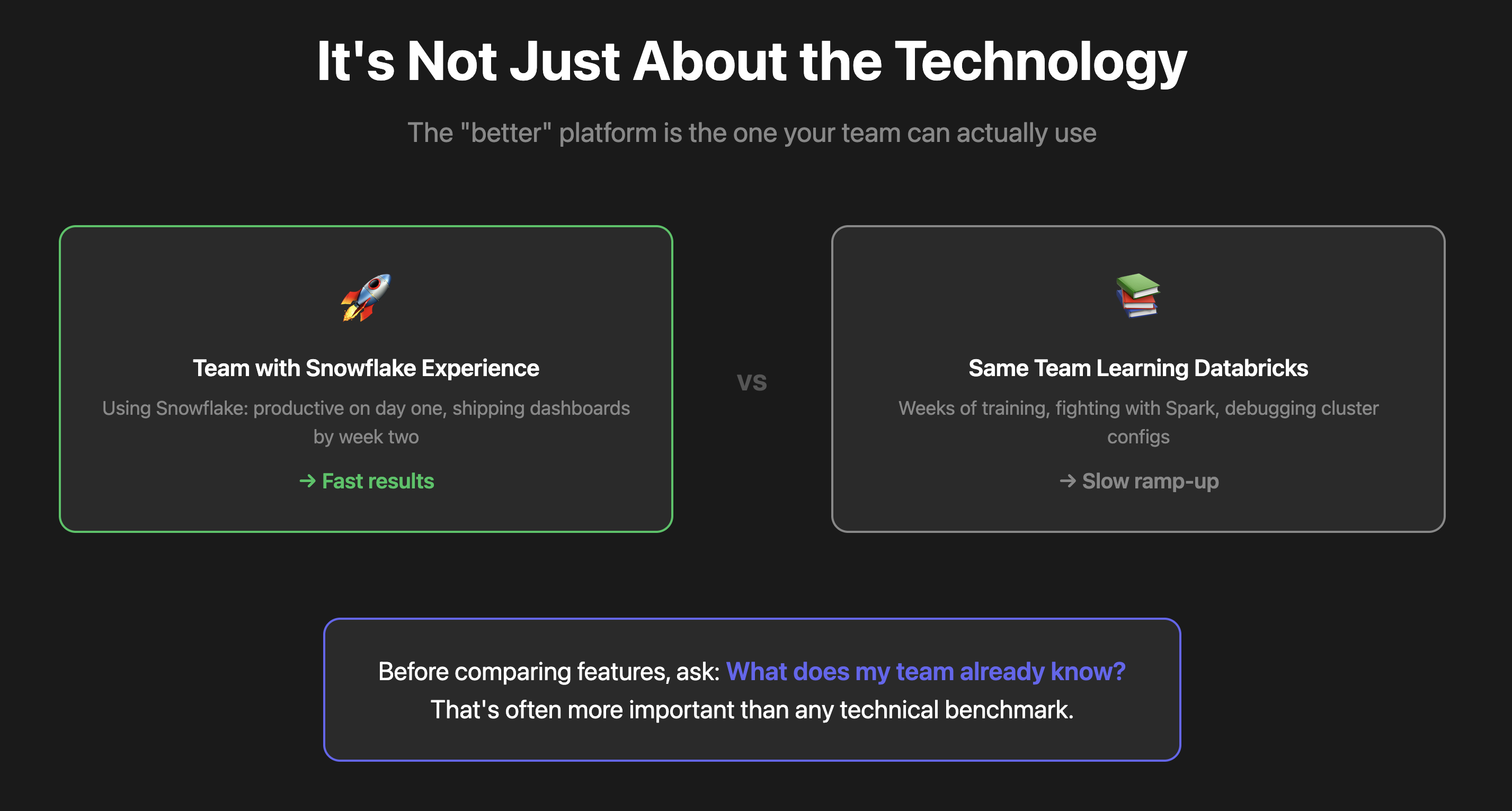
A team with deep Snowflake experience will move faster on Snowflake than a team learning Databricks from scratch, and vice versa.
The tool your team already knows will almost always deliver faster results than the tool that looks better on paper.
Before you compare features, ask:
- What does my team already know?
- What skills do we have in-house?
- Where can we get value fastest?
If you have SQL analysts, Snowflake will feel natural. If you have data scientists comfortable with Python and Spark, Databricks will fit better. The technology matters less than the team fit.
Neither Is a Complete Solution
Here's what nobody talks about. Neither Snowflake nor Databricks is a complete solution out of the box.
The Snowflake Stack
With Snowflake, you still need:
- ETL tool (Fivetran, Airbyte) to get data in
- Transformation layer (dbt) to clean and model data
- BI tool (Looker, Tableau) to visualize
That's four or five tools just to get dashboards. And when you layer AI automation on top, the order you automate in matters more than the stack you assemble.
| Layer | Tool Examples | Typical Cost |
|---|---|---|
| ETL / Data Syncing | Fivetran, Airbyte | $500 - $2,000+/mo |
| Data Warehouse | Snowflake | $2,000 - $10,000+/mo |
| Transformations | dbt Cloud | $100 - $500/mo |
| BI / Dashboards | Looker, Tableau | $1,000 - $5,000+/mo |
The Databricks Stack
With Databricks, you need:
- Engineers who understand Spark
- Notebooks for development
- dbt or similar for transformations
- Separate BI tool for dashboards
Even with their new features, you're still assembling a stack.
The Real Cost
Both paths require:
- A data team to set up and maintain
- $5,000 to $25,000 a month minimum in tooling
- Weeks or months to set up properly (sometimes quarters)
Planning ahead is smart. Paying ahead for problems you don't have yet is just expensive.
What could your data tell you?
Enter your domain and we’ll show you the business questions your tools can already answer — you just can’t ask them yet.
Try it with any company domain — no signup required.
A Simpler Alternative for Startups
If you're a startup, you probably don't need either Snowflake or Databricks. If you came to this article specifically because someone recommended Databricks and you're not sure it fits, see our guide to which type of team actually needs a Databricks alternative — the answer depends entirely on your workload.
Definite is an all-in-one data platform: data warehouse, ETL, transformations, semantic layer, dashboards, and AI assistant. One platform, one bill.
Instead of stitching together five or six tools, Definite combines:
| Component | What It Does |
|---|---|
| Data Warehouse | Built on Apache Iceberg and DuckDB |
| ETL / Data Syncing | 500+ connectors |
| Transformations | SQL-based modeling |
| Semantic Layer | Powered by Cube.dev |
| Dashboards | Visualizations built in |
| AI Assistant | Fi for plain English queries |
The Setup Experience
You sign up, connect your data sources, and you're analyzing data in under 30 minutes.
- Connect sources: Select from 500+ pre-built connectors including Stripe, HubSpot, Salesforce, Postgres, and more
- Data syncs automatically: Definite creates your data lake and starts syncing immediately
- Ask questions: Use Fi to query data in plain English, or write SQL if you prefer
- Build dashboards: Create visualizations without leaving the platform
No Fivetran. No dbt. No data engineer required.
What Can You Do with Fi?
Fi is Definite's AI assistant that lets anyone on your team query data in plain English.
Instead of writing SQL, you ask questions like:
- "What's our ARR by month?"
- "Which customers churned last quarter?"
- "Build me a dashboard for revenue metrics"
Fi finds the right data, writes the query, and builds the visualization. You can customize everything it creates, or write SQL directly if you prefer.
How Fi Is Different from ChatGPT
Generic AI tools like ChatGPT don't know your data. Fi does.
Fi understands your semantic layer, your metric definitions, and your data relationships. When you ask about "revenue," Fi knows exactly which table, which column, and which filters to apply.
This means:
- Accurate results: Fi queries your actual data, not hallucinated numbers
- Consistent definitions: Everyone gets the same answer to the same question
- Context-aware: Fi understands relationships between tables without you specifying joins
Head-to-Head-to-Head Comparison
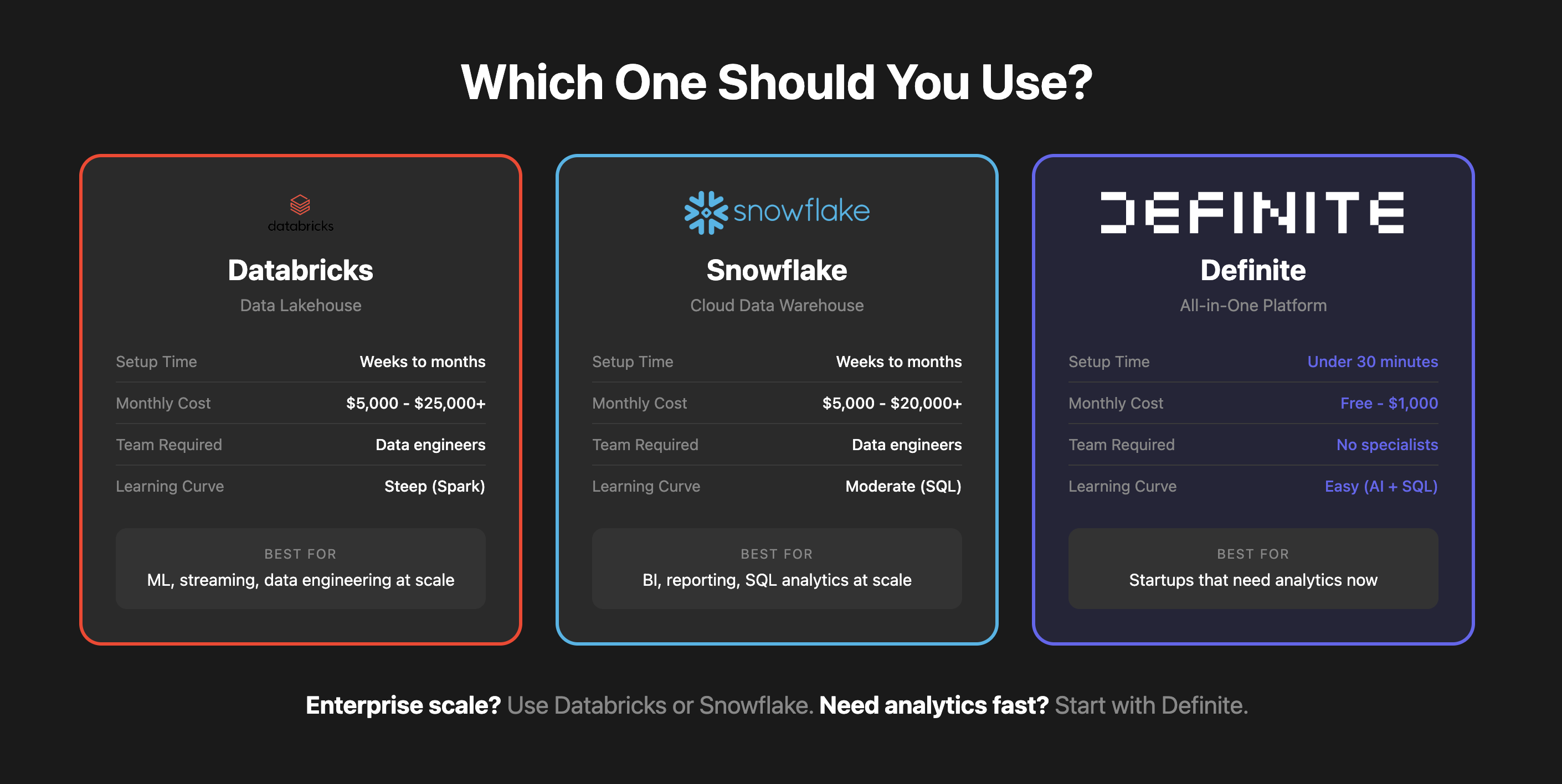
| Factor | Snowflake | Databricks | Definite |
|---|---|---|---|
| Setup time | Weeks to months | Weeks to months | Under 30 minutes |
| Monthly cost | $5,000 - $20,000+ | $5,000 - $25,000+ | Free - $250 |
| Tools to manage | 4-5 separate products | 4-5 separate products | 1 platform |
| Team required | Data engineers | Data engineers + scientists | No specialists |
| AI assistant | Cortex (extra cost) | Databricks Assistant | Fi (built-in) |
| Connectors | Via Fivetran (extra cost) | Via partners (extra cost) | 500+ native |
| Pricing model | Credit-based | DBU-based | Flat monthly |
| Best for | Enterprise SQL analytics | Enterprise ML/data engineering | Startups, lean teams |
When Should You Use Snowflake?
Snowflake is the right choice when:
- You're processing petabytes of data at enterprise scale
- Your team already knows Snowflake and can hit the ground running
- You have a dedicated data engineering team to manage the stack
- You need advanced data sharing between organizations
- SQL analytics and BI are your primary use cases
When Should You Use Databricks?
Databricks is the right choice when:
- You have complex ML workloads that need Spark
- Your team has data science expertise with Python/Scala
- You're processing streaming data in real-time
- You're working with unstructured data at scale
- Your team already knows Databricks and Spark
When Should You Use Definite?
Definite is the right choice when:
- You need analytics now, not in three months
- You don't have (or want to hire) a data team
- You're tired of managing multiple tools
- You want AI-powered querying for your whole team
- You're processing gigabytes to terabytes, not petabytes
- You want predictable costs with flat monthly pricing
The biggest mistake startups make is over-engineering for scale they don't have yet. Start lean, get value fast. You can always migrate later if you need to.
Can You Migrate Later?
Yes. If you start with Definite and eventually outgrow it, migrating to Snowflake or Databricks is straightforward:
- Your data is in open formats: Definite uses Apache Iceberg, which both Snowflake and Databricks natively support
- Your SQL models transfer: Standard SQL works in any warehouse
- Your metrics are documented: The semantic layer captures business logic that moves with you
Starting lean doesn't mean locking yourself in. It means getting value now while preserving optionality for the future.
FAQ
Are Databricks and Snowflake really that similar now?
Yes and no. They've converged significantly (both support SQL, Iceberg, AI features, multi-cloud), but their origins still show. Snowflake is easier for SQL users; Databricks is more powerful for ML and streaming workloads.
Which one is cheaper?
It depends on your workload. Snowflake's credit-based pricing is more predictable for SQL analytics. Databricks' DBU pricing can be more cost-effective for data engineering but harder to forecast. Both will run $5,000-$25,000+ per month for serious usage, before accounting for the additional tools you need.
Do I need a data engineer for either?
Yes. Both Snowflake and Databricks require significant technical expertise to set up, maintain, and optimize. You'll need ETL tools, transformation layers, and BI tools on top of either platform.
Can I use both Databricks and Snowflake?
Many enterprises do. Over half of Snowflake customers also use Databricks. Some use Databricks for data engineering and ML, then push refined data to Snowflake for BI and SQL analytics.
What if I'm just a startup that needs dashboards?
You probably don't need either. Snowflake and Databricks are enterprise platforms designed for teams with dedicated data engineers. If you need analytics fast without building a data team, consider an all-in-one solution like Definite.
Who Is This For?
- Startup founders comparing data platform options
- Data leaders evaluating Databricks vs Snowflake
- Technical founders who want to move fast without over-engineering
- Small data teams overwhelmed by tool sprawl
- Anyone tired of the "Databricks vs Snowflake" debate who wants a simpler answer
If you're a Fortune 500 company with petabytes of data and dedicated data teams, Snowflake or Databricks makes sense — though if your enterprise pain is tool sprawl rather than scale, Definite for Enterprise consolidates the stack and deploys in your own cloud. But if you're a startup trying to make better decisions faster, you want something lean.
Get Started
Stop over-engineering. Get analytics running this afternoon.
- Start free: definite.app/signup
- Learn more: definite.app
- Read the docs: docs.definite.app
- Questions? Email hello@definite.app