


Best Data Warehouse for Startups (2026): Why the Warehouse Is the Cheap Part
You may already be familiar with the concept of a data warehouse. If you are, feel free to skip ahead to the comparisons. But if you're not a data engineer (and more likely a startup leader stretched across product, growth, finance, and everything in between) this section will give you the context you need to make smart, scalable decisions about your data stack.
The real question isn't "which warehouse?" It's "what are you actually building, and what will it really cost?"
The short answer: Most startups don't need a standalone data warehouse. They need analytics — dashboards, board and investor metrics, team self-service — and a warehouse is just one piece of that puzzle. The total cost of the assembled system runs $9,500 to $14,000/mo for a typical 50-person company when you include tooling and people. Integrated platforms that handle the full job start at $0.
This guide compares 7 options across four paths — all-in-one, assembled, managed, and DIY — with pricing that includes the tools and people each approach actually requires.
The Hidden Cost of "Just a Warehouse"
Every "best data warehouse" listicle compares warehouses in isolation. But a warehouse alone is like buying an engine without a car — technically impressive, functionally useless.
Here's the full system a standalone warehouse requires:
| Layer | What It Does | Example Tools | Monthly Cost |
|---|---|---|---|
| Ingestion | Moves data from your SaaS tools into the warehouse | Fivetran, Airbyte | $100–$2,000+ |
| Warehouse | Stores and queries the data | Snowflake, BigQuery | $300–$5,000+ |
| Transformation | Cleans raw data into usable tables | dbt Cloud | $100–$300+ |
| Visualization | Dashboards, charts, reports | Looker, Tableau, Metabase | $500–$5,000+ |
| Metric governance | Consistent definitions across dashboards and AI | Cube, custom config | Often bundled or missing |
| People | Keeps the whole system running | Data engineer (partial or full) | $3,000–$8,000+ |
Total: $4,000–$20,000+/mo depending on your data volume, tool choices, and whether you hire. For a deeper breakdown by business model, see our B2B SaaS data stack cost guide.
According to our data stack cost calculator, a 50-person B2B SaaS company running Fivetran + Snowflake + Tableau pays $9,500–$14,000/mo all-in. The tooling runs $1,500–$6,100/mo. The remaining $8,000/mo is a part-time data engineer keeping it alive.
That's $114K–$169K in year one — before you've answered a single question for the board.
This isn't hypothetical. One CEO we spoke with signed Snowflake, bought Airbyte, and spent six weeks trying to get data flowing — and still couldn't run a basic query — a common stack-build failure we hear about in sales calls every week. Another was running four separate tools (RudderStack + Fivetran + BigQuery + Power BI) and said the stack consolidation problem was "a huge pain."
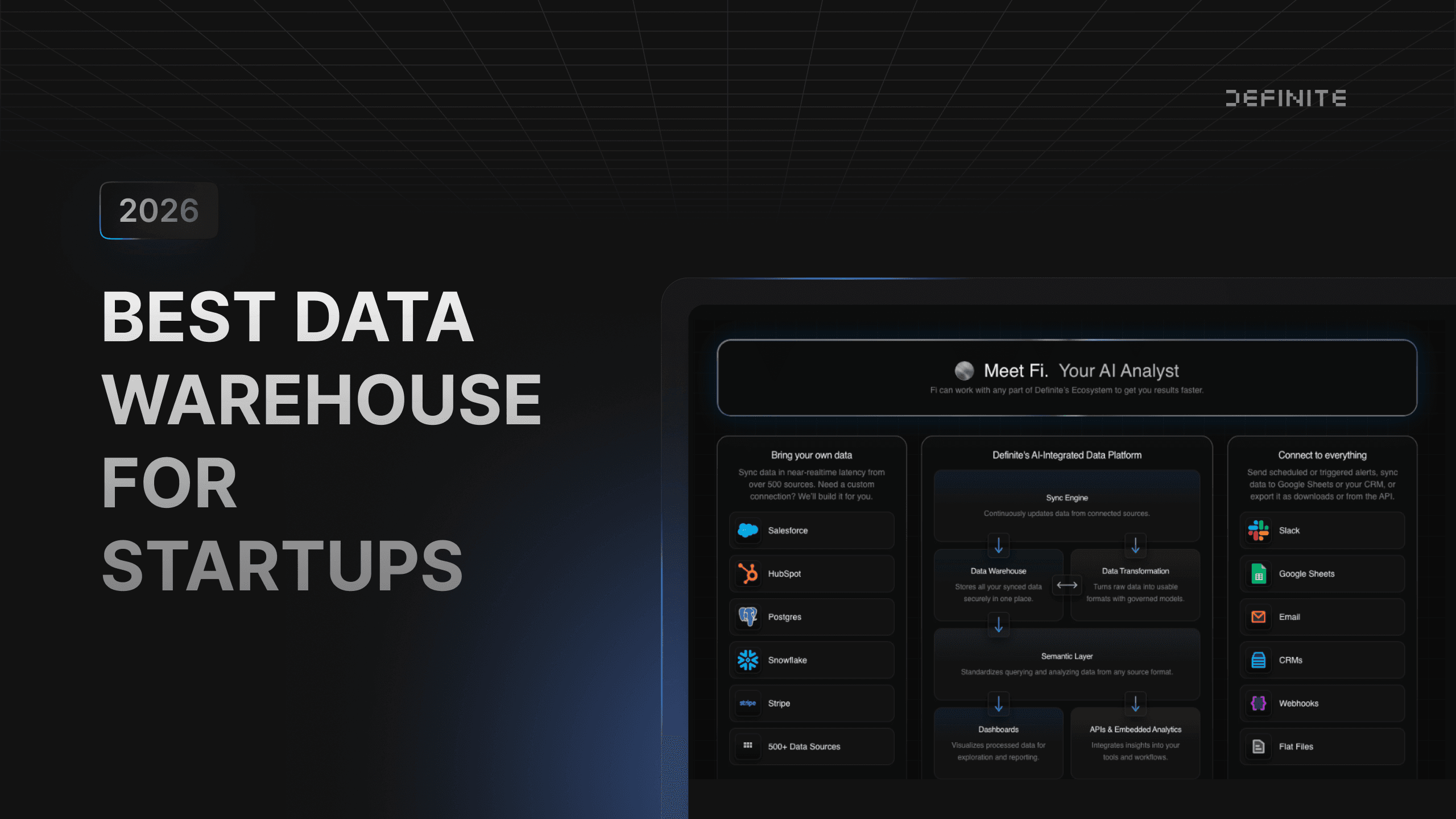
The alternative: Integrated platforms handle all of this in one system — connecting your data sources, storing and modeling the data, building dashboards, and running AI queries — without bolting tools together. You don't assemble anything, and you don't need an engineer to maintain it. Total platform cost: $0–$250/mo. This is the shift behind what some are calling the end of the modern data stack.
The Real Numbers, Side by Side
| Solution | Path | Setup Time | Tool Cost/mo | Total Cost/mo | Team Required | AI-Ready |
|---|---|---|---|---|---|---|
| Definite | All-in-one | 30 minutes | $0–$250 | $0–$250 | None | Yes (governed metrics) |
| Snowflake | Assembled | 2–4 months | $300–$5,000+ | $9,500–$14,000+ | Data engineer | Partial (Cortex, no built-in governance) |
| BigQuery | Assembled | 1–2 months | $300–$5,000+ | $9,500–$14,000+ | Data engineer | Partial (Gemini, no built-in governance) |
| MotherDuck | Assembled | Days–weeks | $0–$250 | $4,000–$10,000+ | Some technical skill | No (warehouse only) |
| Mozart Data | Managed | 1–2 weeks | $0–$6,000 | $1,200–$6,000+ | None (managed) | No (no BI or AI layer) |
| Panoply | Managed | 1 week | $1,558–$3,798 | $1,558–$3,798+ | None | No |
| Postgres | DIY | Varies | $0–$500 | $0–$500+ engineer time | Engineers | No |
"Total cost" for assembled-path warehouses includes ingestion, transformation, visualization, and a fractional data engineer. Use our data stack cost calculator to see your actual number.
Path 1: Skip the Assembly — All-in-One Platform
Definite
Full disclosure: Definite is our product. We built it because we watched startups go through exactly this — spending months assembling data infrastructure before getting a single answer.
Definite isn't a data warehouse — it replaces the need to build a data stack. It handles the full pipeline — connecting your data sources, storing and modeling the data, building dashboards, and running AI queries — in a single platform. Under the hood, it's built on open standards (DuckDB, Apache Iceberg, Cube.dev), so your data isn't locked in.
You connect your sources, and the platform handles everything from there — no separate tools for moving data, modeling it, or building dashboards. No data engineer required. The 500+ connectors cover Stripe, HubSpot, Salesforce, Postgres, and most SaaS tools you're running.
| Strengths | Limitations |
|---|---|
| All-in-one: no tool assembly | Less customizable than a modular stack |
| 30-minute setup to live dashboards | Newer than legacy players |
| Built-in semantic layer — your VP Sales and CFO see the same revenue number | Best fit for startup through mid-market |
| Fi AI assistant — plain-English queries grounded in shared definitions | |
| Full SQL access when you need deeper analysis | |
| Open standards — export your data anytime, no lock-in | |
| Optional data team as a service |
Pricing: Credit-based with a free entry point. Growth (Free) — 2 users, 2 connectors, AI, dashboards, semantic layer. Platform ($250/mo) — unlimited users, unlimited connectors (500+), hourly sync, API access. Enterprise — contact sales. No per-seat pricing on paid plans.
What you give up: If you need deeply custom transformations, complex orchestration, or you're processing petabytes, a modular stack gives you more control. For most startups under 200 people, that flexibility isn't worth the cost.
Path 2: Assemble It Yourself — Powerful, Expensive, and You're the Integrator
These are the tools you've seen on every "best data warehouse" list. They're powerful. They're also one piece of a system that takes 3–5 tools and 2–4 months to assemble — and someone to maintain.
Snowflake
The industry standard. Snowflake is fast, scalable, and mature. Cortex — now generally available — adds AI capabilities (Analyst, Agents, Code). The ecosystem is deep. For a full comparison, see our Snowflake alternatives breakdown.
The catch: you'll need Fivetran or Airbyte for ingestion ($100–$2,000+/mo), dbt for transformation ($100–$300/mo), and Looker or Tableau for dashboards ($500–$5,000+/mo). And if you've ever tried to predict your Snowflake bill from their credit-based pricing page, you know the number is whatever Snowflake decides it is that month.
Warehouse cost: $300–$5,000+/mo. Total stack cost: $5,000–$20,000+/mo. Startup program credits available — but the credits run out, and the surrounding tools don't.
BigQuery
Google's warehouse runs without you managing infrastructure and integrates natively with Google Analytics, Firebase, and Ads. Gemini AI adds natural-language querying. The free tier (10 GiB storage, 1 TiB queries/month) is generous for prototyping. See our BigQuery alternatives guide for a deeper comparison — including when to optimize, swap warehouses, or replace the whole stack.
Same story as Snowflake: one layer, not a solution. You still need ingestion, transformation, and dashboards on top.
Warehouse cost: $0–$5,000+/mo. Total stack cost: $3,000–$15,000+/mo. Best fit for teams already in the Google Cloud ecosystem.
MotherDuck
The cloud platform for DuckDB — a fast, in-process analytical database. Hybrid architecture runs queries locally and scales to the cloud. Growing quickly among startups with a 50% startup discount ($125/mo for eligible companies with ≤20 employees and ≤$5M funding).
Still a warehouse, not a solution — you'll need ingestion and dashboarding tools on top. The ecosystem is newer and smaller than Snowflake or BigQuery.
Warehouse cost: Free tier or $125–$250/mo. Total stack cost: $4,000–$10,000+/mo.
Path 3: Let Someone Else Manage It
Less assembly than DIY, but not fully integrated. You get a managed data pipeline with some tooling bundled.
Mozart Data
Mozart Data wraps Snowflake + Fivetran + a modeling tool under one interface — a "data team in a box." Paid plans include dedicated analyst hours. The free tier (Sonata) covers 250K rows and 15 compute hours.
Trade-off: it's a black box, migration is painful, and you still need a separate dashboarding tool. Paid plans start at $1,200/mo (Concerto) and go up to $6,000/mo (Opera, with 10 hrs analyst time). $1,000 implementation fee.
Panoply
Panoply wraps BigQuery with a friendlier interface. Acquired by SQream in 2021. Pricing has increased significantly — current plans start at $1,558/mo, making it hard to justify when alternatives exist at a fraction of the cost.
Path 4: DIY with Postgres
PostgreSQL is a relational database, not a warehouse. But many founders start here because it's free, open-source, and already running their app.
This works for light queries on small datasets. It breaks when data grows, analytical queries get complex, or anyone non-technical needs to access insights. No built-in dashboards, no AI, no semantic layer.
Cost: $0–$500/mo for managed hosting (Supabase, Neon, RDS). Fine for prototyping. Plan to graduate.
Building on Supabase specifically? Our Supabase analytics guide covers where those queries should run — and what the in-place workarounds do to your bill.
What could your data tell you?
Enter your domain and we’ll show you the business questions your tools can already answer — you just can’t ask them yet.
Try it with any company domain — no signup required.
How to Decide: Match Your Stage, Not Your Ambition
Don't over-engineer. The right choice depends on where you are right now — not where you hope to be in three years. For a more detailed framework, see how startups should build their data stack in 2026. If you're still deciding between assembling tools or adopting a single platform, our data stack vs. data platform guide breaks down the tradeoffs.
Pre-revenue / Seed (1–15 people) You have data in 3–5 SaaS tools and someone on the team is pulling CSV exports into Google Sheets. You don't need infrastructure. You need answers.
→ Start with an all-in-one platform (Definite's free tier or Postgres for prototyping). Don't spend on infrastructure you'll rebuild when you actually know what questions matter.
Series A (15–50 people, some revenue) The board wants dashboards. The VP of Sales needs pipeline visibility. You're spending the Sunday before every board meeting stitching together numbers from five different tools. Time matters more than flexibility. For a deeper look at the three paths available — and what each actually costs one person to maintain — see our Series A data infrastructure guide.
→ All-in-one platform (Definite Platform) or managed service (Mozart Data) if you want analytics live in days. A standalone warehouse only makes sense if you've already hired a data person.
Series B+ (50–200 people, maybe a data hire) You have real data volume, multiple teams consuming analytics, and possibly a data engineer on staff. The business can justify a multi-tool stack — if the investment matches the complexity.
→ Standalone warehouse (Snowflake or BigQuery) makes sense here, if you have the team to operate it. If you're still running without a data engineer, the all-in-one path still works.
One more thing nobody mentions: If you're planning to use AI for data analysis — and you should be — your warehouse choice matters more than most guides let on. AI tools need governed, consistent metric definitions to give trustworthy answers. Standalone warehouses don't include that layer. If "the AI gave us different numbers than the dashboard" sounds like a nightmare you'd rather avoid, look for a platform with built-in metric governance before you look at raw warehouse performance.
If your analytics solution needs a data engineer to function, it's not really a solution — it's a project.
FAQ
How much does a data warehouse cost for startups?
The warehouse itself costs $0–$5,000/mo depending on the tool and your data volume. But that's not the real number. The total cost of the system a warehouse requires — including ingestion, transformation, dashboards, and a data engineer — runs $9,500–$14,000/mo for a typical 50-person company. All-in-one platforms like Definite start free and scale to $250/mo with no additional tools or people required.
Do I need a data engineer to run a data warehouse?
Standalone warehouses like Snowflake and BigQuery effectively require one — someone needs to maintain pipelines, manage schema changes, debug sync failures, and keep the dashboards updated. The ongoing maintenance, not the initial setup, is where the engineer's time goes. All-in-one platforms and managed services are designed to run without specialists.
What's the difference between a data warehouse and a complete analytics platform?
A data warehouse stores and queries data. A complete analytics platform also handles ingestion (connecting to your data sources), transformation (cleaning and modeling), visualization (dashboards and charts), and often includes AI and consistent metric definitions across every report. Think of it as the difference between buying an engine vs. buying a car.
When should a startup switch from spreadsheets to a data warehouse?
When you notice: (1) team meetings involve debating whose numbers are correct, (2) you're spending hours weekly on manual spreadsheet updates, (3) you have data in 3+ systems that need combining, or (4) your spreadsheet has become "critical infrastructure" that only one person understands. At that point, you don't necessarily need a warehouse — you need centralized analytics.
Can I start simple and migrate later?
Yes, and this is usually the smart move. Starting with an integrated platform lets you get value immediately — and most companies under 200 people never need to leave. If you do outgrow it, platforms built on open standards (DuckDB, Apache Iceberg, Parquet) let you export your data and move on. The open standards are an insurance policy, not an exit plan.
Does my warehouse choice affect AI analytics?
Yes. AI analytics tools need governed, consistent data to give accurate answers. Standalone warehouses don't include consistent metric definitions, which means AI queries can return different answers depending on how the question is phrased. Platforms with built-in metric governance ensure AI queries are grounded in defined business logic — so your VP Sales and CFO get the same revenue number whether they ask in a dashboard or through an AI assistant.
Get Started
If you're evaluating a data stack, try Definite before you commit to assembling one. Connect your data sources in minutes, ask Fi a question in plain English, and see what your analytics could look like — without a six-month infrastructure project.